
New for iPhone · on the App Store
Calendars that
finally agree.
iCloud, Google, CalDAV. Synced bidirectionally. Color-coded by family member. Built for the parent juggling 3 kids and 5 teams.
This week
Both parents subscribe to every feed separately
One shared iCloud Calendar the whole family sees
5 calendars scattered across 4 apps. Good luck spotting conflicts
Every game in one place. Double-bookings jump out
"Who's taking Jake to practice?" lives in a group text
One calendar. Everyone knows the plan
The family calendar isn't a tool. It's a job.
Most households have a default parent: the one person tracking pickup times, dentist appointments, conflicting practices, who drives where. Caldzy turns that load into a shared system.
Pew Research Center, Parenting in America Today (2023).
Conflict detected
Dentist with Dr. Park
Wed 3:00 pm · Josh
Pickup from soccer
Wed 3:15 pm · Maya needs pickup
Caldzy suggests
Ask Sarah to cover the 3:15 pickup. She's free on Wednesday and lives nearby.
Don't solve the double-book.
Don't have one.
Caldzy detects conflicts across every family member's calendar before they happen, then suggests who can cover, based on who's actually free.
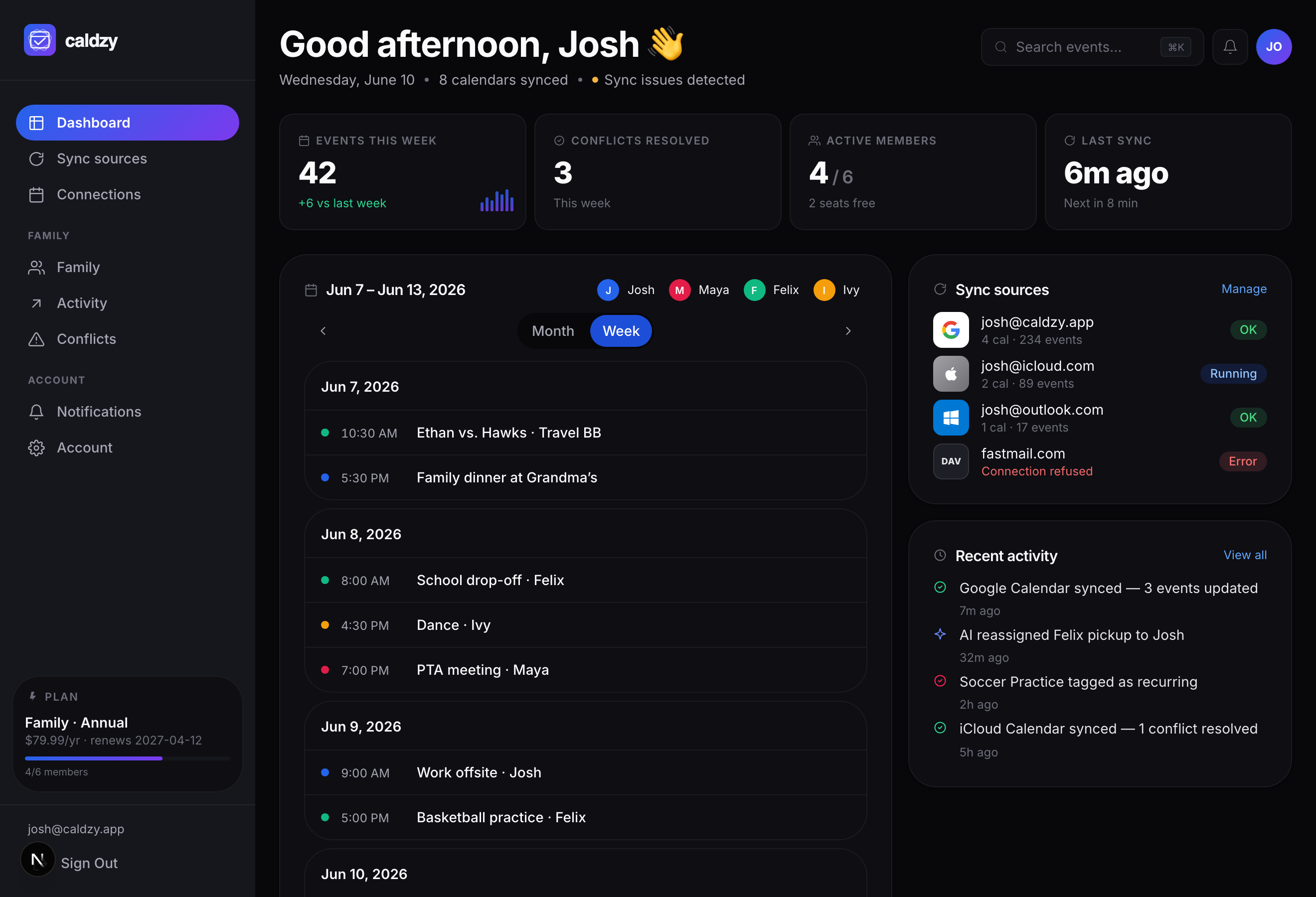
The same family calendar, everywhere.
Open the web dashboard on Monday morning, glance at your phone at the soccer field, and never wonder which calendar is right.


Set up in under 3 minutes
Three steps. Then forget about it. Caldzy handles the rest.
Connect your iCloud Calendar
Sign in with your Apple ID email and a free app-specific password. Caldzy uses CalDAV (the same standard Apple uses) to write real events directly to your calendar. Your credentials are encrypted and never leave the server.
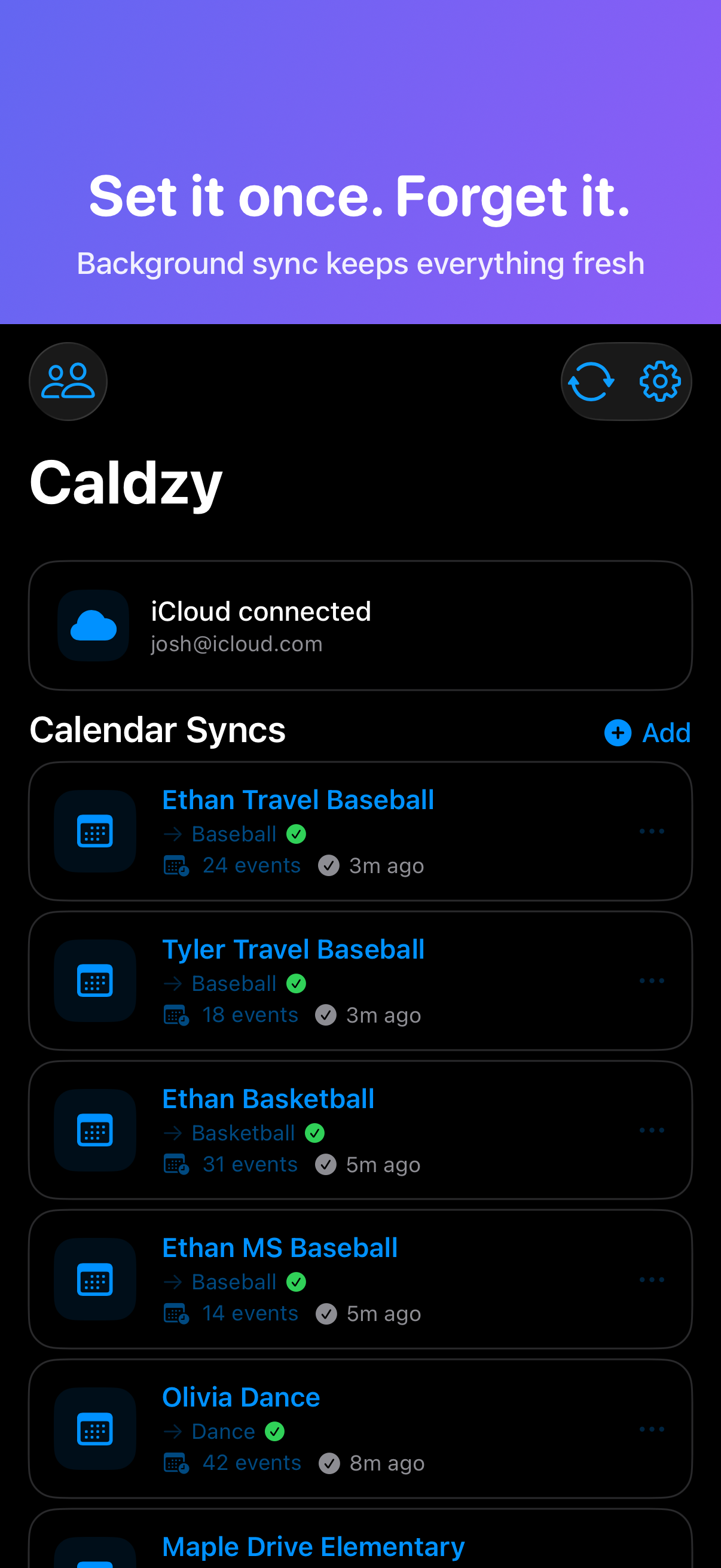
Paste your team calendar links
Open TeamSnap, GameChanger, SportsEngine, wherever your team's schedule lives, and copy the calendar feed URL. Paste it into Caldzy, give it a name like 'Jake - Travel Baseball', and you're done.
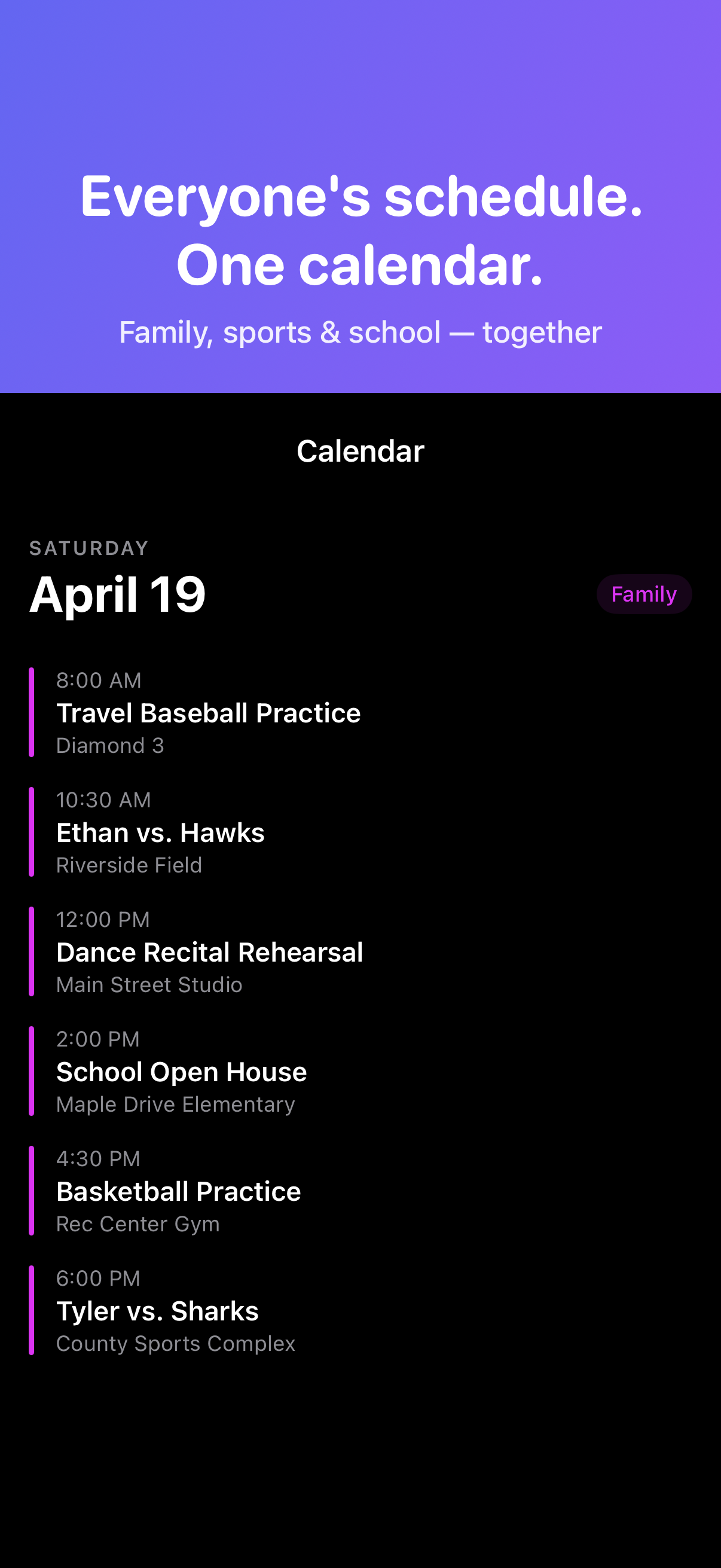
Every game shows up. Automatically.
Within 15 minutes, every game, practice, and tournament appears in your iCloud Calendar. Your spouse sees it. Your Apple Watch shows it. When coach reschedules, it updates. When the description says 'arrive 30 minutes early', Caldzy sets the reminder.
One plan. Everything included.
Caldzy Premium. One subscription covers iOS and web.Caldzy Premium
$4.99/monthor $39.99/year
- Unlimited team & subscription calendars
- Sync to iCloud, Google, and CalDAV
- Color-coded by family member
- Smart Arrival, duration fill, and custom alarms
- Conflict detection across the whole family
- Shared with your whole household
Questions parents actually ask
Does Caldzy work with my team's app?
Does Caldzy work with TeamSnap?
Yes. Copy your TeamSnap webcal/ICS feed URL and paste it into Caldzy. Games, practices, and schedule changes sync to your iCloud Calendar every 15 minutes instead of the 12-24 hours Apple's subscribed calendars take.
Does Caldzy work with GameChanger?
Yes. Any app that exports an ICS or webcal feed works with Caldzy. GameChanger, SportsEngine, LeagueApps, Spond. If it has a calendar feed, Caldzy syncs it.
What if my team uses an app Caldzy doesn't support?
If the app provides any ICS, webcal, or .ics file, it works. Caldzy reads standard calendar files, no special integration needed.
How is this different from subscribing to a calendar on my iPhone?
Why can't I edit subscribed calendar events on my iPhone?
Apple treats subscribed calendars as read-only. You can't add notes, change times, or customize alerts. Caldzy writes real iCloud Calendar events that you own. You can edit them, move them, add the field address coach forgot to include.
Why doesn't my subscribed calendar share with my spouse?
iCloud's family sharing does not support subscribed calendars. Each parent has to find and subscribe to every feed separately, on every device. Caldzy writes events to a shared iCloud Calendar that the whole family sees automatically.
Why does my TeamSnap calendar take so long to update?
Apple's subscribed calendars use polling with unreliable refresh intervals. TeamSnap themselves warn it can take up to 24 hours. Caldzy syncs every 15 minutes server-side, so changes show up on all your devices fast.
How does the family sharing work?
Can my spouse see the sports calendars too?
Yes. Caldzy writes events to your iCloud Calendar, which you share with family members through Apple's built-in sharing. Both parents see every game without subscribing to anything separately.
Do both parents need to set up Caldzy?
No. One parent sets up all the syncs. When your spouse joins your Caldzy family, they see every calendar and every setting. No duplicate setup.
Do both parents need the app?
Only one parent needs Caldzy to get events flowing. But if your spouse installs Caldzy and joins your family, they can see and manage everything too.
Can I see conflicts between different kids' schedules?
Yes. When every team's schedule is in one calendar, double-bookings are immediately visible. No more flipping between 4 apps to figure out who needs to be where.
Setup and security
Is my iCloud password safe?
Caldzy never collects your Apple ID password. You create a free app-specific password through Apple, and it's stored encrypted in Supabase Vault. You can revoke it anytime from your Apple ID settings.
How long does setup take?
Under 3 minutes. Connect iCloud, paste a team calendar URL, done. Events start appearing within 15 minutes.
What is Smart Arrival?
Many sports events include notes like "arrive 30 minutes early" or "gates open at 5pm." Caldzy reads these automatically and sets a reminder so you actually get there on time.
Pricing and the iOS app
How much does Caldzy cost?
Caldzy is a subscription, billed monthly or yearly, and one subscription covers both iOS and web. You pick a plan at checkout and add a card to start your free trial. You aren't charged until the trial ends, and you can cancel anytime before then. Current prices are on the pricing page.
How do I get the iOS app?
Download Caldzy free from the Apple App Store, open it, and set up your first sync. Connect iCloud, paste a team calendar URL, and you're done in about 2 minutes.
Built by a sports parent. For sports parents.
"Three kids. Travel baseball, middle school baseball, basketball, dance, three school buildings. Eight calendars. My wife and I could never keep up. 'What time is the game?' 'Did you know they have practice tomorrow?' 'Which field?' We were having these conversations every single day. She'd know about Tuesday's practice but not Thursday's game. I'd have the tournament schedule but not the school concert.
We were both subscribing to every feed separately, on every device, and still missing things. And the worst part? Those calendar subscriptions don't even share between us. They're read-only and stop updating randomly. We were dizzy.
I built Caldzy because we needed one simple thing: put everything on our shared family calendar (with the right addresses, the right arrival times, the right reminders), and only one of us has to set it up.
That's it. That's the whole app."
Josh, founder of Caldzy
Get Caldzy for iPhone
Caldzy is on the App Store. Download it free, connect iCloud, and set up your first team-calendar sync in under three minutes.

Questions? Email us at support@caldzy.com